
The Role of IT Helpdesk in Identity and Access Management (IAM)
In an era where data breaches and insider threats are increasingly common, Identity and Access Management (IAM) has become a cornerstone of enterprise cybersecurity. At the heart of IAM lies a fundamental objective: ensuring the right individuals have the right access to the right resources—at the right time and for the right reasons. While IAM is often viewed as the responsibility of security architects or system administrators, the IT helpdesk plays a crucial frontline role in managing user access and permissions. In fact, for many organisations, the helpdesk is the primary gatekeeper of digital identity governance. What is Identity and Access Management? IAM refers to the policies, procedures, and technologies used to manage digital identities and control access to systems, applications, and data. Its goal is to ensure that only authorized users can access specific resources based on their role, department, or function. Key components of IAM include: Authentication: Verifying that users are who they say they are Authorization: Granting or denying access to resources User Provisioning and De-provisioning: Managing user access throughout the employee lifecycle Role-Based Access Control (RBAC): Assigning permissions based on roles rather than individuals Audit and Compliance: Tracking access and ensuring policy adherence The IT Helpdesk: IAM’s Operational Backbone While IAM frameworks are often designed at a strategic level, it’s the IT helpdesk that carries out the day-to-day operations. From onboarding new employees to handling permission requests and revoking access during offboarding, the helpdesk ensures IAM policies are implemented effectively and consistently. Key Responsibilities of the Helpdesk in IAM 1. User Account Management The helpdesk is typically responsible for creating, updating, and disabling user accounts across various platforms—such as Active Directory, Office 365, CRM systems, and cloud applications. This includes: Account provisioning for new hires Updating access when users change roles or departments Disabling accounts immediately during terminations or leaves 2. Access Control Enforcement Helpdesk staff ensure that users only receive permissions aligned with their job function. They follow role-based access models and escalate when non-standard access is requested, thus acting as gatekeepers for secure access. 3. Password Resets and Authentication Support Password-related issues are among the most common helpdesk tickets. Support teams help maintain secure authentication by guiding users through multi-factor authentication (MFA), managing password resets, and enforcing password policies. 4. Responding to Access Requests Whether through an internal portal or helpdesk ticket, users frequently request access to new systems or tools. The helpdesk facilitates approval workflows and ensures that all requests are documented and compliant with internal policies. 5. Audit and Compliance Assistance Helpdesk activities feed directly into audit logs, making them vital for compliance with standards like ISO 27001, GDPR, HIPAA, or Cyber Essentials. Support teams help provide documentation, logs, and reports to demonstrate that access controls are enforced properly. Common IAM Challenges Helpdesks Help Solve Shadow IT: The helpdesk can monitor and report unauthorized tools or apps used by employees. Overprovisioning: Ensuring users aren’t granted excessive permissions, which can lead to insider threats. Inconsistent De-provisioning: Quickly revoking access to ex-employees reduces security risks. Role Drift: Periodic reviews by the helpdesk help ensure that access aligns with current job roles. Tools & Best Practices for Helpdesks in IAM To streamline IAM, many organizations equip their helpdesk teams with tools such as: Identity Governance and Administration (IGA) platforms Self-service portals for password resets and access requests Automation tools for provisioning and de-provisioning Centralized IAM dashboards for visibility and reporting Best practices include: Standardizing onboarding/offboarding processes Documenting all access changes and justifications Segregating duties to prevent conflicts of interest Regularly auditing access rights and permissions Strategic Value of Empowering Helpdesk When trained properly and equipped with the right tools, the helpdesk becomes more than a ticket-resolution team—it becomes a critical component of your IAM and cybersecurity strategy. Their work not only improves operational efficiency but also strengthens compliance, reduces risk, and enhances the user experience. Final Thoughts Managing user access and permissions is a shared responsibility, but the IT helpdesk is the engine that keeps IAM running smoothly. By implementing structured processes, leveraging automation, and aligning with best practices, support teams can play a transformative role in securing your IT environment. Need Expert Helpdesk Support for IAM? At White Label Service Desk, we offer fully managed IT support that includes secure user provisioning, role-based access control, and IAM best practices—all delivered under your brand. Whether you need Tier 1 support or advanced IAM integration, we’ve got you covered. Get in touch to enhance your identity and access management with certified, white-label helpdesk support. GET IN TOUCH
Top Certifications for IT Support & Help Desk Professionals in 2025
As the demand for technical support continues to grow across industries, Certifications have become essential for validating skills, advancing careers, and improving service quality. Whether you’re starting out in IT support or you’re a business building a high-performance help desk team, the right certifications ensure that you or your team stay current, credible, and competitive. In this blog, White Label Service Desk explores the most valuable IT support and Help Desk Certifications in 2025—what they cover, who they’re for, and how they can elevate your service delivery. Why IT Support Certifications Matter For individuals, certifications demonstrate technical proficiency, boost employability, and open doors to promotions or specialized roles. For organizations—especially MSPs and IT support firms—having certified staff signals professionalism and instills client confidence. Moreover, certifications often align with industry best practices and evolving technologies, ensuring your team is equipped to handle everything from basic troubleshooting to complex infrastructure issues. 1. Google IT Support Professional Certificate Best For: Beginners or career switchers Offered via Coursera, this certification provides a strong Introduction to IT support. It’s designed by Google and includes: Computer assembly and system configuration Network protocols and troubleshooting Security principles Automation with scripts This course is highly accessible and doesn’t require prior experience, making it a great stepping stone into the tech industry. 2. ITIL® 4 Foundation Best For: Professionals focused on service management ITIL (Information Technology Infrastructure Library) is a widely adopted framework for IT service management (ITSM). The Foundation level certification introduces: The ITIL service value system Principles of delivering value to customers Key ITSM practices and terminology ITIL is a must-have for professionals in support leadership or process optimization roles. 3. Microsoft Certified: Azure Fundamentals Best For: Technicians entering cloud services As businesses move to the cloud, support professionals must adapt. This certification covers: Cloud concepts and Azure services Security, privacy, and compliance in Azure Azure pricing and support It’s a foundational step toward more advanced cloud support certifications. 4. AWS Certified Cloud Practitioner Best For: Support staff working with Amazon Web Services Similar to Microsoft’s certification, this AWS credential focuses on: AWS core services and benefits Basic architecture principles Security and billing in AWS environments It’s a beginner-friendly certification ideal for organizations offering white-label cloud support services 5. CompTIA A+ Best For: Entry-level IT professionals The CompTIA A+ certification is a globally recognized credential and often considered the starting point for anyone entering the IT field. It covers a broad range of foundational topics, including: Hardware and software troubleshooting Operating systems Networking fundamentals Security basics Mobile device support A+ is often a prerequisite for many help desk and support technician roles, making it ideal for anyone pursuing a career in desktop or end-user support. 6. HDI Support Center Analyst (HDI-SCA) Best For: Current help desk professionals The HDI-SCA certification focuses on real-world support center operations. It teaches: Incident and request management Active listening and communication Customer service best practices Knowledge management principles This certification is highly regarded in customer-facing IT roles, particularly within managed service and internal help desk environments. 7. HDI Customer Service Representative (HDI-CSR) Best For: Entry-level help desk and support agents The HDI-CSR is geared toward professionals just starting in customer support. It emphasizes: Customer interaction techniques Conflict resolution Effective communication Call handling strategies For organizations emphasizing service quality, this certification is a great way to build soft skills that directly impact customer satisfaction. 8. Cisco Certified Network Associate (CCNA) Best For: IT professionals pursuing networking roles CCNA is ideal for those managing or supporting network infrastructure. It validates skills in: IP addressing and routing LAN/WAN technologies Security basics Network automation Although more technical, CCNA is a valuable asset for Tier 2+ support roles that deal with infrastructure and connectivity. Building a Certified Support Team with Confidence Having a team that holds certifications across various levels—from soft skills to cloud infrastructure—ensures well-rounded support coverage. This not only helps reduce resolution times but also improves customer satisfaction and trust. It also future-proofs your support capabilities as clients adopt new technologies and expect faster, more knowledgeable service. IT and help desk certifications are more than just credentials—they are strategic tools for growth, efficiency, and trust. Whether you’re an MSP, an internal IT department, or a white-label provider, certified professionals set the standard for service excellence. Investing in the right certifications now will ensure you’re prepared for the ever-evolving demands of IT support. Contact White Label Service Desk Today At White Label Service Desk, we build high-performance, certified IT support teams that represent your brand seamlessly. From Tier 0 automation to Tier 3 expert escalation, we deliver reliable, White-Label IT support tailored to your clients’ needs. Contact Us today to explore our services related to IT Support and Helpdesk. CONTACT US
What Are the Levels of IT Support? From Tier 0 to Tier 4 Explained
Explore levels of IT Support, from tier 0 to tier 4, when and why they’re used, and show how this layered approach benefits both users and IT teams.
Customer-Centric IT Services: Enhancing Support in 2025
As businesses strive to remain competitive in an increasingly digital economy, the focus on Customer-Centric IT services has become a cornerstone for success. IT departments, traditionally seen as back-office support teams, are now evolving into strategic enablers that enhance user experience and drive customer satisfaction. By 2025, delivering exceptional IT services will require organisations to align their technology strategies with customer needs, optimise processes, and adopt innovative tools. This blog by White Label Service Desk explores how organisations can create Customer centric IT Services, improve support, and deliver superior user experiences in the fast-changing technology landscape of 2025. What Does Customer-Centric IT Mean? Customer-centric IT places the customer—whether internal (employees) or external users—at the heart of IT service design, delivery, and support. It emphasizes anticipating user needs, reducing friction in interactions, and continuously improving technology experiences. This approach is not limited to helpdesk support; it spans the entire IT lifecycle, from infrastructure management to application deployment. Key principles of customer-centric IT include: Empathy: Understanding user pain points and preferences. Proactivity: Preventing issues before they occur. Customization: Delivering tailored solutions that match user-specific requirements. Seamless Experiences: Ensuring that interactions with IT are intuitive and efficient. The Importance of Customer-Centric IT in 2025 Rising Customer Expectations:Customers demand fast, personalized, and seamless digital experiences. IT services must evolve to provide high levels of availability, reliability, and performance to meet these growing expectations. Hybrid Workforces:As hybrid work becomes the norm, IT teams need to provide consistent support to employees working across different locations, devices, and time zones. Competitive Advantage:Organizations that prioritize user satisfaction gain a significant edge over competitors. By investing in customer-centric IT, businesses can retain customers, boost employee productivity, and build long-term loyalty. Zero Trust Security Framework ensures protection regardless of network boundaries. This guide breaks down the key pillars and implementation steps. How to Build Customer-Centric IT Services 1. Understand User Needs Through Data and Feedback To provide services that resonate with users, IT teams must gather and analyze data on user behavior, preferences, and challenges. Surveys and Feedback: Regularly collect input from customers and employees about their experiences with IT services. Analytics Tools: Use tools like application performance monitoring (APM) and user experience analytics to track issues and opportunities for improvement. User Personas: Develop detailed user personas to understand different segments and their unique needs. 2. Focus on Proactive IT Support Proactive support involves identifying and resolving potential problems before they affect users. AI and Predictive Analytics: Leverage AI-driven tools to monitor systems and predict issues like network outages or application crashes. Automated Notifications: Send alerts to users about maintenance schedules or updates to minimize disruptions. Self-Service Portals: Empower users with knowledge bases, FAQs, and troubleshooting guides to resolve minor issues independently. 3. Personalise IT Service A one-size-fits-all approach no longer works in 2025. IT services must be personalized to cater to individual needs. Role-Based Access: Provide tailored access to tools and applications based on job roles or preferences. Customisable Dashboards: Offer personalized interfaces that allow users to prioritize tasks and tools relevant to their work. Localisation: Support multiple languages and cultural preferences for global user bases. 4. Invest in Advanced IT Tools and Platforms Modern technology plays a pivotal role in enhancing customer-centric IT services. IT Service Management (ITSM) Platforms: Use ITSM platforms like ServiceNow or Zendesk to streamline ticketing, workflows, and incident management. AI Chatbots: Deploy chatbots to provide instant support and answer common questions 24/7. Omnichannel Support: Enable users to access IT support through various channels, including email, chat, phone, and social media. Role of IT Helpdesk in IAM: Identity and Access Management has become a crucial part of modern IT governance. Our guide covers how helpdesks support IAM and strengthen security across businesses. 5. Foster Collaboration Between IT and Business Teams Effective communication between IT and other departments ensures that technology initiatives align with business goals. Cross-Functional Teams: Involve IT staff in sales, marketing, and customer service projects to gain insights into user expectations. Regular Training: Equip IT professionals with soft skills such as communication and problem-solving to better interact with users. 6. Prioritise Security Without Sacrificing User Experience Security is a critical aspect of IT services, but overly rigid security measures can frustrate users. Strike a balance by implementing seamless and user-friendly security protocols. Zero Trust Architecture: Adopt a security framework that continuously verifies users and devices without compromising convenience. Multi-Factor Authentication (MFA): Simplify MFA processes with biometric verification or push notifications. Emerging Trends in Customer-Centric IT Services for 2025 Hyperautomation Hyperautomation combines AI, machine learning, and robotic process automation (RPA) to streamline IT workflows. It enables faster resolution of user issues and improves efficiency. Enhanced Personalisation Through AI AI-driven systems can analyze user behavior to offer personalized recommendations, adaptive support, and predictive maintenance. Experience Management Platforms Experience management tools like Qualtrics and Medallia focus on capturing and analyzing user feedback to refine IT services continually. Green IT Initiatives Sustainability is becoming a key focus, with IT departments adopting energy-efficient practices and promoting eco-friendly technology solutions. Measuring the Success of Customer-Centric IT To ensure your IT services are truly customer-focused, track key performance indicators (KPIs) such as: Customer Satisfaction (CSAT): Measure user satisfaction with IT services. Net Promoter Score (NPS): Assess how likely users are to recommend IT services to others. First Call Resolution Rate: Track the percentage of user issues resolved during the first interaction. Downtime Reduction: Monitor how IT initiatives reduce system outages and improve uptime. Contact White Label Service Desk In 2025, customer-centric IT services will be a key differentiator for organisations aiming to thrive in a tech-driven world. By prioritising user needs, adopting innovative tools, and fostering collaboration, businesses can deliver exceptional IT support and experiences. At White Label Service Desk, we specialize in crafting customer-centric IT solutions that drive satisfaction, efficiency, and growth. Let us help you transform your IT services into a strategic advantage. Contact us today to learn more about enhancing your IT support and user experience. GET IN TOUCH
What is Remote Monitoring and Management (RMM)?
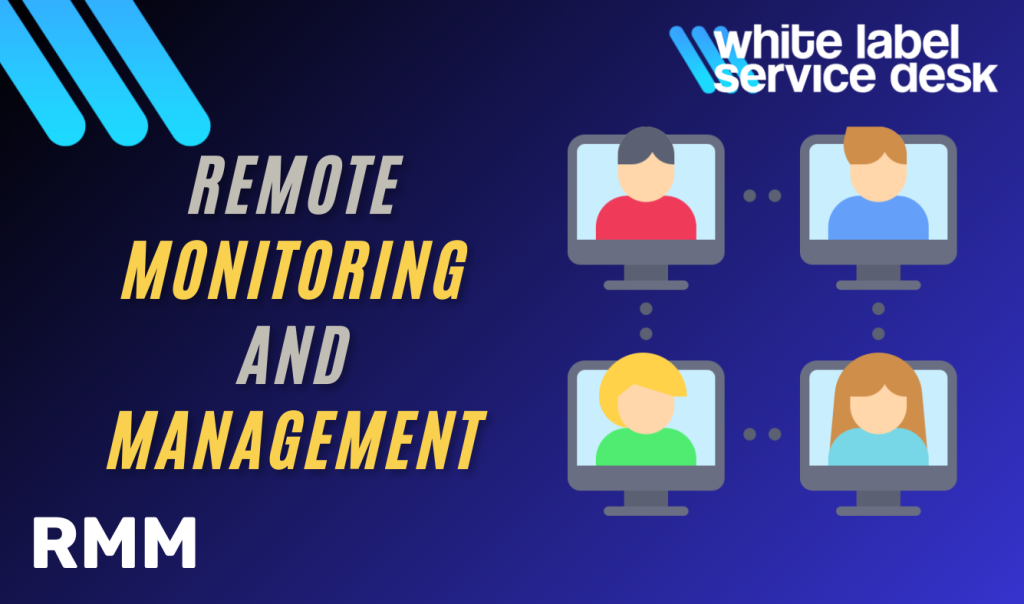
In today’s fast-paced digital landscape, businesses of all sizes rely on IT infrastructure to ensure smooth operations. However, managing and maintaining IT systems manually is both time-consuming and costly. This is where Remote Monitoring and Management (RMM) comes in—a powerful solution that allows IT teams and Managed Service Providers (MSPs) to monitor, manage, and maintain IT environments remotely. By leveraging RMM, organisations can ensure proactive maintenance, reduce downtime, and enhance cybersecurity without requiring on-site interventions. In this blog, White Label Service Desk will explore what RMM is, its key features, benefits, and how businesses can implement it for a streamlined IT management strategy. What is Remote Monitoring and Management (RMM)? Remote Monitoring and Management (RMM) is a suite of software tools that enable IT professionals to monitor client networks, devices, and endpoints remotely. This allows businesses to detect and resolve IT issues proactively, minimising disruptions and improving overall system performance. RMM solutions are widely used by Managed Service Providers (MSPs) and internal IT teams to automate routine maintenance tasks, deploy security patches, and manage IT assets efficiently. By using RMM, organisations can maintain IT health without needing constant on-site support. Key Features of RMM A well-designed RMM solution includes several essential capabilities that help IT teams manage infrastructure effectively. Some of these include: 1. Real-Time System Monitoring RMM tools continuously track the health, performance, and security of IT systems. This includes monitoring CPU usage, memory consumption, disk space, network connectivity, and system vulnerabilities. If any anomaly is detected, the system generates alerts, allowing IT teams to respond quickly. 2. Remote Access and Troubleshooting One of the biggest advantages of RMM is the ability to access and troubleshoot endpoints remotely. IT teams can resolve software issues, update applications, and manage devices without physically being present, reducing downtime and operational costs. 3. Automated Patch Management Cyber threats often exploit outdated software vulnerabilities. RMM tools help organizations stay secure by automating patch deployment for operating systems and third-party applications, ensuring systems are always up to date. 4. Asset and Inventory Management Keeping track of IT assets can be challenging, especially in large organizations. RMM solutions maintain an updated inventory of all hardware and software, helping businesses optimize asset utilization and lifecycle management. 5. Proactive Alerts and Reporting RMM platforms generate real-time alerts for potential issues and provide detailed reports on system performance, security threats, and IT compliance. This data helps businesses make informed decisions and improve IT infrastructure over time. 6. Cybersecurity Management With cyber threats on the rise, RMM solutions integrate security features such as firewall management, endpoint protection, and intrusion detection. IT teams can monitor for suspicious activities and respond to potential security threats proactively. Benefits of Implementing RMM 1. Increased Efficiency and Productivity By automating IT maintenance tasks and reducing manual interventions, RMM allows IT teams to focus on strategic initiatives. This leads to better efficiency and faster response times. 2. Cost Savings RMM minimises the need for on-site visits, reducing travel and labor costs. Additionally, proactive monitoring prevents costly downtime and repairs. 3. Improved Security and Compliance RMM tools help enforce security policies, deploy patches on time, and maintain compliance with industry regulations such as GDPR, HIPAA, and ISO 27001. 4. Scalability for Business Growth Whether you’re managing ten devices or thousands, RMM solutions scale effortlessly. As your business grows, RMM ensures your IT infrastructure remains optimized and secure. 5. Better User Experience With proactive maintenance, employees experience fewer technical issues and interruptions, allowing them to focus on their core tasks without IT-related disruptions. Security Considerations for RMM Implementation While RMM solutions offer numerous advantages, businesses must adopt best practices to ensure secure implementation: Enable Strong Authentication – Use multi-factor authentication (MFA) to prevent unauthorized access. Restrict User Access – Grant permissions based on roles and responsibilities to minimize security risks. Encrypt Communications – Ensure that all data transmitted between devices and RMM systems is encrypted. Regularly Update and Patch – Keep your RMM software updated to prevent exploitation of vulnerabilities. How to Choose the Right RMM Solution When selecting an RMM platform, consider factors such as: Ease of Integration – Choose an RMM tool that seamlessly integrates with your existing IT infrastructure. Automation Capabilities – Look for features that support automated updates, maintenance, and troubleshooting. Scalability – Ensure the platform can support future growth and accommodate increasing IT demands. Security Features – Opt for solutions with built-in cybersecurity protections such as endpoint detection and response (EDR). User-Friendly Interface – A well-designed dashboard with clear insights simplifies IT management. Contact White Label Service Desk Remote Monitoring and Management (RMM) is an essential tool for businesses looking to enhance IT efficiency, improve security, and reduce operational costs. By implementing a strong RMM strategy, organizations can proactively address IT challenges, prevent disruptions, and scale IT operations effortlessly. Looking to implement RMM in your business? Whitespecializes in IT solutions that streamline remote management and cybersecurity. Our experts can help you choose and deploy the right RMM tools for your organization. Contact us today to enhance your IT efficiency and security!
The Role of Virtual CTO in Scaling Startups
Scaling a startup is an exciting yet complex challenge. As businesses grow, they require robust technology strategies, scalable infrastructure, and innovation-driven leadership. However, hiring a full-time Chief Technology Officer (CTO) can be expensive, especially for early-stage startups. This is where a Virtual CTO comes in. A Virtual CTO provides strategic technology leadership on a flexible basis, helping startups scale effectively while optimizing costs. In this blog, White Label Service Desk explores how a Virtual CTO plays a crucial role in startup growth and why businesses should consider this model. What is a Virtual CTO? A Virtual Chief Technology Officer (Virtual CTO) is an experienced technology leader who works remotely or part-time to provide strategic guidance for startups. Unlike a traditional in-house CTO, a Virtual CTO offers expertise without the high costs of a full-time executive. Key Responsibilities of a Virtual CTO: Aligning technology strategy with business goals Designing and implementing scalable IT infrastructure Managing technology risks and compliance Driving innovation and digital transformation Overseeing product development and cybersecurity Optimizing IT budgets and vendor management For startups looking to scale efficiently, a Virtual CTO ensures they have the right technology leadership without the financial burden of a full-time hire. How a Virtual CTO Helps Startups Scale 1. Defining a Scalable Technology Vision As a startup grows, it needs a clear technology roadmap to align IT investments with long-term business objectives. A Virtual CTO helps define this vision, ensuring that technology supports both current operations and future expansion. 2. Building Scalable IT Infrastructure Scalability is one of the biggest challenges for startups. A Virtual CTO ensures the company’s IT infrastructure can handle increased workloads without compromising performance. This includes: Cloud architecture and data management solutions Microservices and API-driven software development Disaster recovery and business continuity planning A well-designed IT infrastructure prevents downtime, enhances security, and ensures a seamless user experience. 3. Driving Innovation with Emerging Technologies Staying ahead of competitors requires constant innovation. A Virtual CTO helps startups integrate cutting-edge technologies such as: Artificial Intelligence (AI) for automation and analytics Machine Learning (ML) to improve customer experience Blockchain for enhanced security and transparency Internet of Things (IoT) for connected devices and smart operations By leveraging these technologies, startups can create unique value propositions and disrupt their industries. 4. Managing Cybersecurity and Compliance As startups expand, they become attractive targets for cyber threats. A Virtual CTO ensures that Cybersecurity measures are in place, including: Data encryption and network security Multi-factor authentication (MFA) Compliance with industry regulations (GDPR, HIPAA, etc.) Proactive risk assessments and incident response planning Security breaches can be costly and damage a brand’s reputation. Having a Virtual CTO helps mitigate these risks while ensuring compliance. 5. Optimising Technology Investments Startups often have limited budgets, making cost optimisation crucial. A Virtual CTO helps prioritize IT spending by: Choosing the right technology stack Negotiating with vendors for the best deals Implementing cost-effective cloud solutions This ensures that every technology investment contributes to growth and efficiency. 6. Scaling the Development Team As startups scale, their tech teams must grow too. A Virtual CTO helps with: Hiring and training software engineers and IT professionals Establishing agile development processes Fostering a culture of continuous innovation Having a strong development team is essential for long-term success, and a Virtual CTO plays a key role in building it. Why Startups Should Consider a Virtual CTO A Virtual CTO provides startups with the expertise of a senior technology leader without the financial burden of hiring a full-time executive. This model is ideal for: Early-stage startups needing strategic tech leadership Fast-growing businesses that require scalable IT solutions Companies seeking cost-effective technology management Startups looking for innovation and digital transformation By leveraging a Virtual CTO, startups can focus on business growth while ensuring their technology strategy is aligned with success. Contact White Label Service Desk At White Label Service Desk, we provide expert Virtual CTO services to help startups scale with the right technology strategy. Whether you need IT infrastructure, Cybersecurity, or 24/7 Helpdesk, our team of experienced professionals is here to guide you. Ready to optimise your startup’s technology strategy? Contact us today and discover how a Virtual CTO can accelerate your growth.
White-Label Cloud Services for MSPs: Boost Growth and Brand Impact
Explore what are White-label Cloud Services, why they matter for MSPs and IT providers, and how they can give your business a true competitive edge.
5 Strategies to Future-Proof IT Infrastructure
In today’s fast-evolving digital landscape, businesses must ensure their IT infrastructure is scalable, flexible, and resilient. Without a well-planned approach, companies risk falling behind in a world where emerging technologies, cyber threats, and increasing demands push IT systems to their limits. Future-proofing IT infrastructure is about preparing for technological advancements, ensuring seamless scalability, and maintaining business continuity without costly overhauls. This guide by White Label Service Desk outlines Five essential strategies that will help businesses build a robust IT framework that can withstand future challenges. What is IT Infrastructure? IT infrastructure refers to the combined set of hardware, software, networks, data centers, and services that support the management, storage, processing, and communication of information within an organization. It is the foundation upon which businesses operate their digital services, ensuring seamless connectivity, data security, and efficient workflows. Five strategies to Future-proof IT Infrastructure 1. Ensure Scalability and Flexibility The foundation of a future-proof IT infrastructure is its ability to scale with business growth and adapt to technological changes. Scalability ensures that businesses can expand their IT capabilities as needed without expensive replacements, while flexibility allows seamless adaptation to new requirements. How to Achieve Scalability and Flexibility Adopt cloud-based solutions to reduce dependency on physical infrastructure. Use virtualization, such as virtual machines (VMs) and containerization, for efficient resource allocation and easier application migration. Implement modular IT systems that allow businesses to add or remove components as demands change. By focusing on scalability and flexibility, businesses ensure that their IT systems remain agile and cost-effective over time. 2. Leverage Cloud Integration Cloud computing is a game-changer for businesses looking to future-proof their IT operations. By integrating cloud solutions, companies can access powerful resources without the need for significant capital investment in on-premises hardware. Benefits of Cloud Integration On-Demand Resources: Scale IT resources up or down based on workload demands, ensuring optimal performance and cost efficiency. Disaster Recovery & Business Continuity: Cloud-based backup solutions ensure data security and minimize downtime in case of system failures. Global Accessibility: Cloud platforms enable employees to access data and applications from anywhere, supporting remote work and collaboration. Businesses that strategically implement cloud integration can enjoy improved efficiency, lower costs, and better security in their IT operations. 3. Adopt Adaptive Networking Solutions As businesses rely more on digital applications and remote operations, network infrastructure must be capable of handling increased traffic while maintaining high performance and security. Adaptive networking solutions provide the necessary flexibility to ensure seamless connectivity. Key Components of Adaptive Networking Software-Defined Networking (SDN): Separates network management from hardware, allowing centralized control and improved scalability. Network Function Virtualization (NFV): Replaces traditional hardware-based network functions with software, increasing agility and reducing costs. Automated Network Management: AI-powered automation helps detect and resolve network issues in real-time, improving efficiency. Edge Computing: Reduces latency by processing data closer to the source, enhancing performance for IoT and real-time applications. With adaptive networking, businesses can ensure a reliable and secure IT environment that supports future technological advancements. 4. Strengthen Cybersecurity and Compliance A strong IT infrastructure is incomplete without robust Cybersecurity measures. Cyber threats continue to evolve, making it essential for businesses to stay ahead with proactive security strategies. Steps to Strengthen Cybersecurity Implement a Zero Trust Security Model, where no entity (internal or external) is trusted by default, enforcing strict access controls. Adopt advanced threat detection systems that use AI to identify potential risks before they cause harm. Ensure compliance with industry regulations such as Cyber Essentials Plus, GDPR, and HIPAA to avoid legal and financial risks. Conduct regular security audits to identify vulnerabilities and reinforce defenses before attacks occur. Cybersecurity is a critical aspect of future-proofing, ensuring that businesses remain resilient against ever-evolving threats. 5. Stay Ahead with Emerging Technologies To truly future-proof IT infrastructure, businesses must stay informed about technological innovations that can enhance efficiency and security. Technologies Shaping the Future of IT Infrastructure Artificial Intelligence (AI) & Machine Learning: AI-driven automation optimizes resource allocation, enhances security, and predicts IT failures before they occur. 5G Networks: Faster, more reliable connectivity enables better data transmission and supports IoT applications. Blockchain: Provides enhanced security and transparency for data management, identity verification, and transactions. Quantum Computing: Though still developing, quantum computing promises breakthroughs in data processing and cybersecurity. By embracing innovation, businesses can ensure their IT infrastructure remains competitive and capable of handling future challenges. Future-Proof Your IT Infrastructure Today A well-designed IT infrastructure should not only meet today’s needs but also be adaptable for future growth and technological advancements. Implementing scalability, Cloud integration, adaptive networking, Cybersecurity measures, and emerging technologies will ensure a resilient and high-performing IT ecosystem. Contact White Label Service Desk At White Label Service Desk, we help businesses build and maintain robust, future-ready IT infrastructures. Whether you need IT infrastructure support, 24/7 IT help desk services, Networking solutions, or Cybersecurity compliance, our expert team is here to assist. Contact us today to future-proof your IT infrastructure and stay ahead in the digital age!
SLA Best Practices for Effective IT Support Ticket Management
In today’s fast-paced digital world, businesses rely heavily on IT support to ensure smooth operations and minimize downtime. A Service Level Agreement (SLA) is a critical component of IT service management, providing a structured framework for support ticket handling. It defines response times, resolution commitments, and performance expectations, ensuring accountability and customer satisfaction. At White Label Service Desk, we understand the importance of well-defined SLAs in delivering exceptional IT support. In this guide, White Label Service Desk explore the best practices for SLA implementation in support ticket management and how businesses can optimize their IT helpdesk efficiency. What is an SLA in IT Support? A Service Level Agreement (SLA) is a contract between an IT service provider and its customers that outlines: Response and Resolution Times: Defines how quickly an issue will be acknowledged and resolved. Prioritization of Tickets: Establishes urgency levels for different types of requests. Performance Metrics: Sets measurable targets to track service efficiency. Accountability & Penalties: Specifies consequences if the SLA terms are not met. SLAs serve as a benchmark for IT support teams, ensuring service consistency and improving overall customer experience. Why SLAs Matter in IT Support Implementing SLAs in IT support ticket management has several benefits: 1. Improves Response and Resolution Time A well-structured SLA ensures that IT teams prioritize and resolve issues based on urgency, reducing downtime and keeping business operations running smoothly. 2. Enhances Customer Satisfaction When customers know their issue will be addressed within a set timeframe, it builds trust and confidence in the service provider. 3. Helps Manage Workloads Efficiently SLAs help IT teams allocate resources effectively, ensuring high-priority tickets are handled promptly while maintaining overall efficiency. 4. Ensures Compliance with Industry Standards For businesses in regulated sectors like finance and healthcare, SLAs help maintain compliance with IT service regulations, reducing risks of penalties. 5. Provides Measurable Performance Metrics By defining Key Performance Indicators (KPIs) such as response time, resolution rate, and escalation frequency, SLAs help in monitoring and improving IT support operations. SLA Best Practices for IT Support Ticket Management 1. Define Clear and Realistic SLA Goals Your SLA should align with your business objectives and IT capabilities. Avoid unrealistic response and resolution times that put undue pressure on your team. Base your SLA commitments on historical data and team capacity. 2. Categorise Tickets by Priority Levels Not all IT issues are the same. Define priority levels in your SLA, such as: Critical (P1): System-wide failures, security breaches – response within 15 minutes, resolution within 2 hours. High (P2): Major software failures affecting multiple users – response within 1 hour, resolution within 4 hours. Medium (P3): Individual workstation issues – response within 4 hours, resolution within 24 hours. Low (P4): Routine maintenance and minor requests – response within 8 hours, resolution within 48 hours. 3. Use Automation to Manage SLAs Efficiently Implement IT service management (ITSM) tools to automate ticket assignments, track SLA compliance, and send alerts for impending SLA breaches. 4. Communicate SLA Commitments Clearly Ensure clients understand what’s covered under the SLA, expected response times, and escalation procedures. This avoids unrealistic expectations and improves transparency. 5. Monitor Performance and SLA Compliance Regularly review SLA performance using reporting tools and analytics dashboards. Identify bottlenecks and optimize workflows to improve efficiency. 6. Continuously Update and Improve SLAs As business needs and technology evolve, regularly reassess your SLA to ensure it remains relevant and effective. Final Thoughts: Ensure Reliable IT Support with SLAs A well-defined SLA is the backbone of an efficient IT support system. It ensures accountability, improves service quality, and enhances customer trust. By implementing best practices in SLA management, businesses can maximize uptime, improve efficiency, and deliver superior IT support experiences. Contact White Label Service Desk At Creative Networks, we offer customized IT support solutions with tailored SLAs to meet your business needs. Whether you need 24/7 IT helpdesk support, proactive monitoring, or IT infrastructure management, we have you covered.
Expert IT Audit & Risk Assessment Services
IT Audits are essential for organisations to assess their technology infrastructure, security controls, and compliance with industry standards. They help identify vulnerabilities, inefficiencies, and potential risks that could impact business continuity. However, many organisations face recurring audit findings that, if left unaddressed, can lead to security breaches, operational disruptions, and regulatory penalties. This guide explores the most common IT Audit findings and recommendations, their impact on businesses, and the best strategies to address them effectively. What is an IT Audit? An IT Audit is a comprehensive evaluation of an organization’s IT systems, policies, and processes to ensure they align with industry best practices, security standards, and regulatory requirements. Audits focus on areas such as cybersecurity, data privacy, IT governance, system availability, and disaster recovery planning. IT Audits can be conducted internally or externally by certified professionals, and they play a critical role in safeguarding an organization’s digital assets and operations. Common IT Audit Findings and Recommendations 1. Weak Access Controls and User Permissions One of the most frequent IT audit findings is the presence of weak access controls, where employees have unnecessary or excessive access to sensitive data and systems. This increases the risk of insider threats, accidental data leaks, and cyberattacks. How to Address It Implement Role-Based Access Control (RBAC): Assign permissions based on job roles to ensure employees only access the data they need. Use Multi-Factor Authentication (MFA): Strengthen login security with an extra layer of verification. Conduct Regular Access Reviews: Periodically review user accounts and deactivate inactive or unnecessary accounts. Adopt the Principle of Least Privilege (PoLP): Restrict access to only what is essential for users to perform their duties. 2. Lack of Proper IT Documentation A significant number of IT audits reveal inadequate documentation of IT policies, procedures, and system configurations. Poor documentation can lead to inefficiencies, inconsistent practices, and non-compliance with regulatory standards. How to Address It Create a Centralized Documentation Repository: Maintain updated records of IT policies, security procedures, and system configurations. Enforce IT Documentation Standards: Establish clear guidelines on how IT documentation should be maintained and reviewed. Conduct Periodic Documentation Audits: Regularly verify that IT documentation is accurate, complete, and aligned with industry standards. 3. Poor Patch Management and Outdated Software Many organizations fail to update their software, leaving their systems vulnerable to cyber threats. Unpatched software can be exploited by hackers to gain unauthorized access to networks and data. How to Address It Implement Automated Patch Management: Use tools to automate patch deployment for operating systems, applications, and security software. Maintain an Up-to-Date Inventory: Keep track of all software and hardware assets to ensure they are regularly updated. Prioritize Critical Patches: Apply security patches promptly based on the severity of the vulnerabilities they address. 4. Insufficient Data Backup and Disaster Recovery Plans Many IT audits highlight weaknesses in an organization’s data backup and disaster recovery strategies. Without a reliable backup system, businesses risk data loss due to cyberattacks, hardware failures, or human errors. How to Address It Follow the 3-2-1 Backup Rule: Maintain three copies of data (primary data and two backups) stored on two different media types, with one backup stored off-site. Test Disaster Recovery Plans Regularly: Conduct drills to ensure that data recovery procedures are effective and can be executed quickly. Implement Cloud-Based Backups: Use secure cloud backup solutions to enhance data redundancy and accessibility. 5. Failure to Comply with Regulatory Requirements Organizations often struggle with compliance obligations related to data privacy laws such as GDPR, HIPAA, PCI DSS, and ISO 27001. Failure to comply can result in legal penalties, reputational damage, and financial losses. How to Address It Perform Regular Compliance Audits: Assess IT processes against applicable regulations and industry standards. Use Compliance Management Software: Automate compliance tracking and reporting to reduce manual effort. Train Employees on Regulatory Requirements: Ensure that staff understand and adhere to compliance policies and procedures. 6. Weak Incident Response and Cybersecurity Measures Many businesses lack a formalized incident response plan, leading to delays in detecting and mitigating cyber threats. Without a robust cybersecurity framework, organizations are at greater risk of data breaches and ransomware attacks. How to Address It Develop a Comprehensive Incident Response Plan: Outline procedures for identifying, responding to, and recovering from security incidents. Implement Security Information and Event Management (SIEM): Use SIEM solutions to monitor network activity and detect threats in real time. Conduct Cybersecurity Awareness Training: Educate employees on recognizing phishing scams, malware, and other cyber threats. 7. Inadequate IT Asset Management Many organizations fail to maintain an accurate inventory of their IT assets, leading to inefficiencies in resource allocation, software licensing violations, and security risks. How to Address It Use IT Asset Management (ITAM) Software: Automate tracking and monitoring of all IT assets. Perform Regular Asset Audits: Ensure that all hardware and software are accounted for and properly maintained. Implement End-of-Life (EOL) Policies: Retire outdated systems and replace them with up-to-date alternatives. 8. Lack of Network Security Controls Weak network security controls expose organizations to cyber threats such as unauthorized access, denial-of-service (DoS) attacks, and data breaches. How to Address It Deploy Firewalls and Intrusion Prevention Systems (IPS): Strengthen network perimeter defenses. Segment Networks: Limit access between different parts of the network to contain potential breaches. Monitor Network Traffic: Use network security monitoring tools to detect suspicious activity. Strengthen Your IT Security and Compliance with IT Audits IT Audits are essential for maintaining a strong security posture, ensuring regulatory compliance, and improving operational efficiency. By addressing common audit findings proactively, organizations can mitigate risks, prevent costly data breaches, and optimize IT processes. Contact White Label Service Desk At White Label Service Desk, we specialize in conducting comprehensive IT Audits to help businesses identify vulnerabilities, improve security controls, and achieve compliance with industry standards. Don’t wait for an audit to reveal critical weaknesses. Strengthen your IT security today. Contact White Label Service Desk now to schedule an IT audit and protect your business from evolving cyber threats. GET IN TOUCH