In the digital age, where IT infrastructures are more complex and distributed than ever, businesses need efficient ways to monitor and manage their technology assets. This is where Remote Monitoring and Management (RMM) steps in, providing IT teams with the tools needed to ensure the health, security, and functionality of all devices within an organization—no matter where they are located.
In this blog, White Label Service Desk explores what RMM is, how it works, and why it has become essential for modern IT management, especially in an era of hybrid and remote work.
What is RMM?
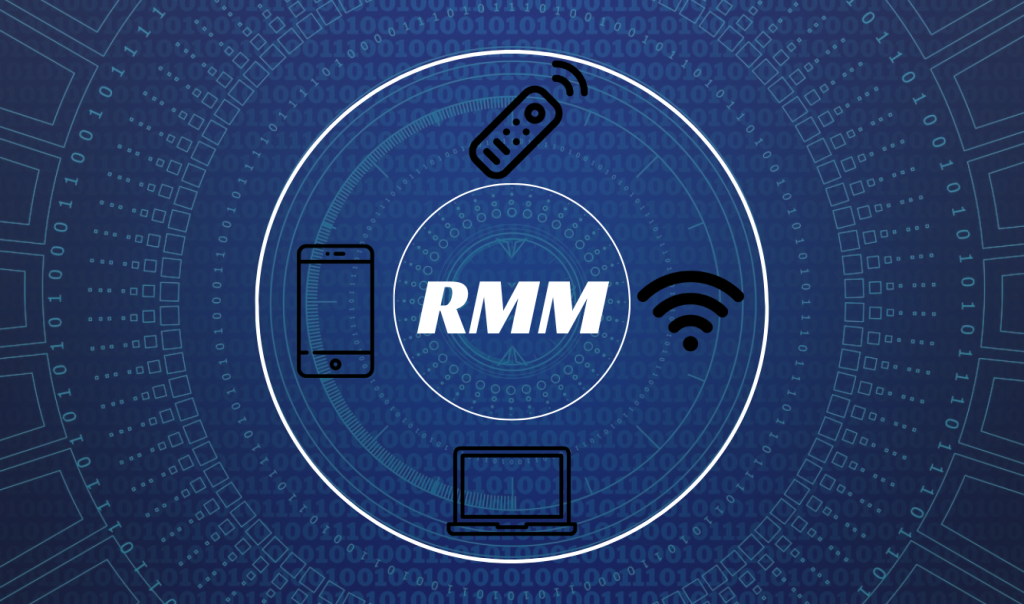
Remote Monitoring and Management (RMM) is a suite of tools and software that allows IT professionals to remotely monitor, manage, and maintain an organisation’s IT infrastructure. RMM solutions enable IT teams to oversee everything from servers and networks to individual endpoints (such as laptops, desktops, and mobile devices), ensuring they function optimally and remain secure.
With RMM software, IT teams can detect and address issues before they escalate, track performance in real-time, and automate maintenance tasks—all without needing to physically access the devices.
How Does RMM Work?
RMM software works by deploying small agents on each endpoint device, which then communicate back to a centralised management console. These agents collect data about the device’s health, performance, and any potential issues, sending this information to IT teams in real-time.
Key Components of RMM:
- Remote Monitoring: Constantly tracks devices, networks, and applications to ensure they are running smoothly and securely.
- Issue Detection and Alerts: Notifies IT teams immediately when potential problems are detected, enabling fast response.
- Remote Management: Allows IT teams to perform tasks such as software updates, system reboots, and security patching remotely.
- Automation of Routine Tasks: Automates repetitive tasks like antivirus updates, backups, and patch management to reduce manual workload.
- Reporting and Analytics: Provides insights into device health, network performance, and overall IT infrastructure for data-driven decision-making.
Key Benefits of RMM for IT Management
Implementing RMM brings multiple advantages that empower IT teams to work more efficiently, enhance security, and improve overall productivity. Here are some of the essential benefits of RMM for modern IT management.
1. Proactive IT Maintenance
Remote Monitoring and Management solutions enable IT teams to identify and resolve issues before they impact users, allowing for a proactive approach rather than a reactive one. This reduces downtime and helps keep IT operations running smoothly.
Example: If an endpoint’s hard drive is nearing capacity, the RMM system can alert IT staff to free up space or add additional storage before users experience performance issues.
2. Enhanced Security
With cyber threats becoming more sophisticated, it’s critical to keep IT infrastructure secure. RMM enables centralised patch management, regular software updates, and endpoint monitoring, reducing security risks and preventing vulnerabilities.
Example: RMM tools can automatically deploy security patches across all devices to safeguard against potential exploits and vulnerabilities, preventing unauthorised access.
3. Improved Efficiency Through Automation
RMM allows IT teams to automate routine tasks, such as patch updates, antivirus scans, and performance checks. This frees up time for IT staff to focus on higher-value tasks, ultimately increasing productivity.
Example: Automating daily health checks and backups saves IT teams from performing these time-consuming tasks manually, ensuring consistency and accuracy.
4. Real-Time Monitoring and Instant Alerts
RMM solutions provide real-time monitoring and alerts, notifying IT teams immediately when potential issues arise. This quick response capability minimizes the impact of disruptions and prevents minor problems from becoming major incidents.
Example: If a network server experiences abnormal traffic, the RMM system sends an instant alert to IT, allowing them to investigate and resolve the issue before it leads to downtime.
5. Centralised Management Across Multiple Locations
In a world where hybrid and remote work have become the norm, IT teams must support devices across various locations. RMM enables centralised control over an organisation’s entire IT infrastructure, no matter where devices are located.
Example: IT teams can use RMM to manage software installations, apply security patches, and monitor performance on remote devices used by employees working from home or in other locations.
6. Data-Driven Insights for Better Decision-Making
RMM provides IT teams with valuable data insights through reporting and analytics. This allows for better decision-making, helping IT teams identify trends, predict potential issues, and make informed upgrades or changes to the infrastructure.
Example: RMM analytics may reveal that certain devices frequently experience performance issues, prompting the IT team to upgrade those devices to improve productivity.
7. Cost Efficiency and Resource Optimisation
By automating repetitive tasks and minimising downtime, RMM can lead to significant cost savings. Efficient management reduces the need for on-site visits, optimises IT resources, and improves the overall value of IT investments.
Example: RMM allows for remote troubleshooting, which means fewer on-site calls and reduced operational expenses for IT support.
Why RMM is Essential in 2025
As businesses continue to expand their digital operations, rely on remote workforces, and face rising cybersecurity threats, RMM has become crucial to maintaining IT infrastructure and ensuring uninterrupted business operations.
1. Supporting the Hybrid Workforce
With a hybrid workforce, organizations need IT solutions that can support devices spread across multiple locations. RMM provides IT teams with the ability to manage and monitor all endpoints, whether on-premises or remote, ensuring consistent support for all employees.
2. Scaling IT Operations with Business Growth
As organizations grow, their IT needs increase. RMM solutions are scalable, allowing businesses to add or remove devices as required, without a significant increase in resource expenditure.
3. Addressing Advanced Cyber Threats
With cyber threats evolving rapidly, organisations must prioritize security. RMM tools offer continuous monitoring, patch management, and vulnerability scanning, ensuring that devices remain secure against the latest threats.
4. Compliance and Regulatory Requirements
RMM also helps organisations meet regulatory requirements by ensuring systems are updated, secure, and that sensitive data is managed appropriately. RMM’s comprehensive logging and reporting functions make it easier to track compliance with industry standards.

Implementing RMM: Key Steps for Success
Successfully implementing RMM in an organisation requires planning and an understanding of best practices.
Here are some steps to guide you:
1. Define Your RMM Goals and Requirements
Identify what you want to achieve with RMM—whether it’s enhancing security, improving user experience, or increasing operational efficiency. This will help you choose the right RMM tool for your organisation’s specific needs.
2. Choose the Right RMM Solution
Consider the features, scalability, integration capabilities, and security standards of different RMM solutions to select one that best fits your organisation’s requirements.
3. Train Your IT Team
Ensure your IT team is well-versed in using the RMM platform. Many RMM providers offer training and support, which can help your team get the most out of the software’s capabilities.
4. Monitor Performance and Adjust as Needed
Once your RMM solution is in place, continuously monitor its performance, gather feedback, and adjust configurations or add new integrations as necessary to optimize operations.
5. Regularly Review Security Settings
With new cyber threats emerging, it’s crucial to regularly review your RMM security settings. Regular updates and adjustments ensure the solution remains robust against new vulnerabilities.
The Essential Role of RMM in Modern IT Management
In today’s complex IT landscape, RMM provides the tools businesses need to manage, monitor, and secure their technology assets efficiently. By enabling proactive maintenance, supporting remote work, and enhancing cybersecurity, RMM has become a critical component of modern IT management.
Contact White Label Service Desk Today
Looking to implement an RMM solution for your business? At White Label Service Desk, we offer tailored RMM solutions that fit your organisation’s unique needs and help you maximize efficiency, security, and productivity.
Contact us today to learn more about how we can help you future-proof your IT management with RMM.